

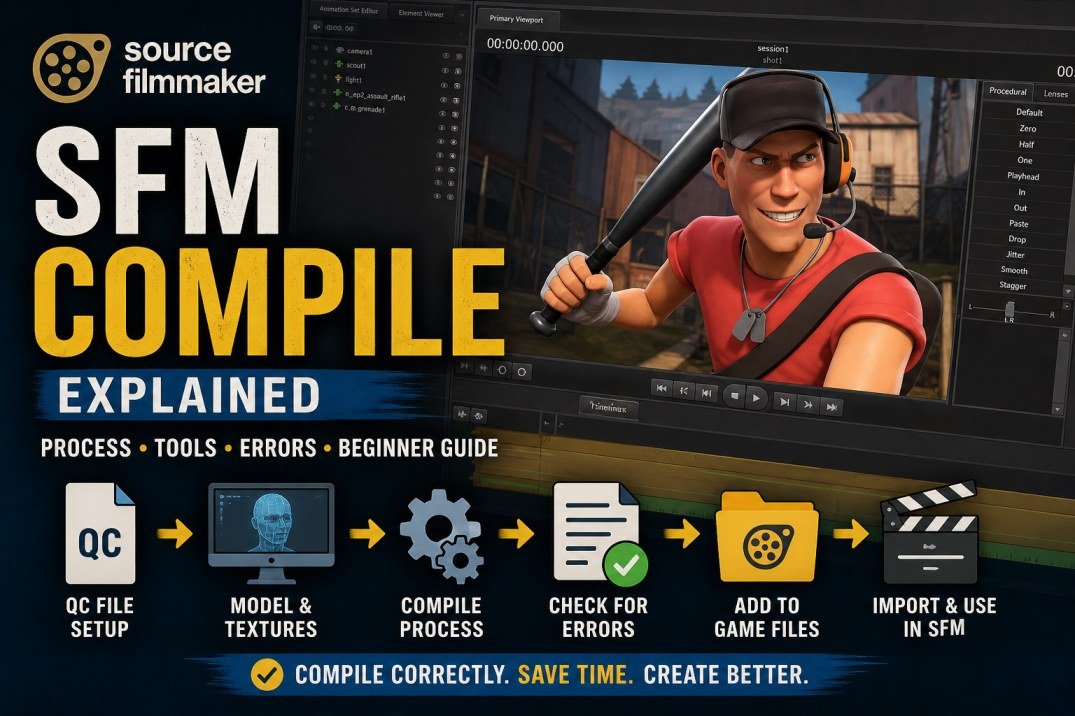
If you have started working with Source Filmmaker, you may have come across the term SFM Compile while searching for custom models, textures, maps, or animation resources. For beginners, the word “compile” can sound more complicated than it actually is.
In the Source Filmmaker community, compilation generally refers to processing source assets so they can be used by the Source engine or a related workflow. Depending on the project, this can involve models, materials, textures, animations, maps, or configuration files.
Source Filmmaker, commonly called SFM, is Valve’s movie-making tool built around the Source game engine. Valve describes it as a tool used to create movies inside the Source engine, using the same general asset ecosystem as Source-based games. Official Source Filmmaker information provides further background on the software.
This guide explains what SFM Compile means, how the process works, why compilation errors happen, and what beginners should check when an asset does not work correctly.
What Does SFM Compile Mean?
SFM Compile usually refers to preparing a Source Filmmaker asset or Source-engine resource so that the engine can load and use it correctly.
The word “compile” has a broader meaning in computing. In traditional software development, compilation converts source code into a form that a computer can execute. In game-development workflows, however, compilation can also mean processing creative assets into engine-ready resources.
For example, a creator may start with a 3D model created or edited in another application. That model may need additional information about its materials, skeleton, animations, physics or other properties before it can be used properly in a Source-based environment.
This means SFM compilation is not always one single operation. The exact process depends on the type of asset being prepared.
What Is Source Filmmaker?
Source Filmmaker, or SFM, is a filmmaking and animation application developed by Valve.
Unlike a conventional video editor, SFM lets creators build scenes using 3D characters, props, environments, cameras, lights and animations. The creator can arrange these elements into a scene and then animate and render the result.
Valve’s official Steam listing describes Source Filmmaker as a movie-making tool built and used by Valve inside the Source game engine. It also provides access to Source-based game assets and community resources.
Because SFM relies on engine-compatible resources, asset preparation becomes an important part of the workflow.
Why Is Compilation Important in SFM?
A custom SFM character or prop is usually more than one file.
Depending on the asset, it may involve:
- 3D model geometry
- Textures
- Materials
- Skeleton and bones
- Animation data
- Physics information
- Attachments
- Configuration files
- Other supporting resources
If one part is missing or incorrectly configured, the asset may load incorrectly or fail altogether.
For example, a model might appear inside SFM but have missing textures. A character could load but fail to animate properly. A prop might have the correct appearance but incorrect physics behaviour.
That is why compilation should be viewed as one stage of a wider asset preparation workflow.
SFM Model Compilation
One of the most common uses of the term SFM Compile is custom model preparation.
Imagine that a creator has a 3D character created outside Source Filmmaker. Simply exporting the model does not necessarily make it ready for use in SFM.
The model may also need:
- A compatible skeleton
- Correct bone relationships
- Material definitions
- Texture references
- Animation information
- Collision or physics data
- Correct file paths
- Appropriate configuration settings
The requirements depend on what the creator wants the model to do.
A simple static prop can be considerably easier to prepare than a fully animated character.
What Is an SFM Model Compiler?
A model compiler is a tool that processes model-related source information and produces resources that the Source engine can use.
It is important to understand that a compiler is not the same as a 3D modelling program.
A modelling application is used to create or modify the actual 3D asset. A compiler processes that asset and its configuration information according to the requirements of the Source-engine workflow.
This distinction helps beginners understand why creating a model and compiling a model are separate steps.
What Is an SFM QC File?
QC files are commonly associated with Source model compilation.
A QC file can be thought of as an instruction sheet that tells the compilation process how a model should be handled.
Depending on the asset, the configuration can contain information related to:
- The source model
- Materials
- Textures
- Skeletons
- Animations
- Physics
- Output settings
- Other compilation instructions
If a QC file points to the wrong model or an incorrect folder, the compilation process may fail.
This is why checking the QC configuration is often one of the first troubleshooting steps when a model does not compile correctly.
Why File Paths Matter in SFM Compile
File paths are a common source of problems when working with custom Source assets.
A compiler needs to know where the relevant files are located. If a model, texture or animation is referenced from the wrong directory, the compiler may not be able to find it.
For example, problems can occur when:
- A folder name is incorrect
- A filename has changed
- A texture is stored in the wrong location
- A QC file references an old directory
- A required supporting file is missing
Keeping project folders organised can make these issues much easier to identify.
SFM Compile and Textures
A model and its textures are connected, but they are not the same thing.
The model provides the geometry and structure, while textures provide visual information for the object’s surfaces.
This means a model can sometimes compile successfully while still looking wrong inside SFM.
Missing or incorrectly configured textures can result in:
- Missing-texture patterns
- Incorrect colours
- Dark or unusual materials
- Surfaces that do not appear as expected
- Materials that fail to load
When this happens, the problem may be with the material or texture path rather than the model itself.
SFM Materials Explained
Materials provide another layer between the model and its final appearance.
They can control how textures and surfaces behave with lighting, transparency and other visual properties.
A simplified way to understand the relationship is:
Model → Material → Texture
If one of these components is incorrectly configured, the final asset may not look as intended.
This is why troubleshooting an SFM model often requires checking several related files instead of focusing only on the model.
What Happens When SFM Compile Fails?
A failed compilation can produce different results.
The compiler may stop with an error, fail to create the expected output, or produce an asset that technically loads but does not behave correctly.
Common causes include:
- Missing model files
- Incorrect file paths
- Invalid configuration
- Missing textures
- Material errors
- Bone or skeleton problems
- Animation problems
- Unsupported data
- Incorrect tool settings
- Naming inconsistencies
The most useful information is usually the specific error message, rather than simply knowing that the compile failed.
How to Read SFM Compile Errors
Compile logs can look confusing because they often contain technical terminology and multiple messages.
Instead of trying to understand every line at once, start with the first meaningful error.
Ask:
What file, command or resource did the compiler fail to process?
If the message mentions a missing file, check the path.
If it references a QC command, check the configuration.
If it mentions a material or texture, inspect the relevant material files and texture locations.
If the error involves bones or animations, examine the model’s skeleton and animation setup.
This approach is often more productive than repeatedly running the compiler without changing anything.
SFM Compile Tools
There is not necessarily one universal tool for every type of SFM compilation.
The appropriate workflow depends on what you are preparing.
For example:
- Model compilation involves model-related tools.
- Map compilation involves map-building and Source-level tools.
- Texture preparation can involve separate image and material workflows.
- Animation setup requires compatible model and skeleton information.
Therefore, someone searching for an “SFM compiler” should first determine what type of asset they are trying to prepare.
SFM Model Compile vs Map Compile
The word “compile” can describe different processes.
Model compilation
Model compilation prepares a 3D asset and its supporting resources for engine use.
It can involve:
- Geometry
- Bones
- Materials
- Textures
- Animations
- Physics
Map compilation
Map compilation prepares an environment or level for use by the Source engine.
It can involve:
- World geometry
- Lighting
- Visibility
- Entities
- Environmental settings
Although both processes use the word “compile”, they solve different problems.
Common SFM Compile Problems
Missing model files
If the compiler cannot locate the source model, it cannot create the expected output.
Check the file path and make sure the referenced file exists.
Missing textures
A model may load while its textures fail to appear.
Check the texture files, material references and directory structure.
Incorrect QC settings
A wrong command or reference in a QC file can prevent a model from compiling correctly.
Bone problems
Animated characters require properly configured skeletons. Incorrect bone relationships can cause problems with posing and animation.
Animation issues
A model can compile successfully but still have animation problems. The cause may be related to the skeleton, animation files or compatibility between the model and animation data.
Material problems
Incorrect material paths or definitions can cause visual problems even when the model itself is working.
You may also read: Everything You Wanted to Know About Megacities
Why Can a Model Compile but Still Look Wrong?
A successful compilation does not necessarily mean that the asset is completely finished.
For example, the compiler may successfully produce the model files while the model still has:
- Missing textures
- Incorrect materials
- Animation problems
- Proportion issues
- Bone problems
- Physics problems
For this reason, the final test should happen inside Source Filmmaker.
Load the asset, inspect it from different angles, test its materials and, when appropriate, test posing and animation.
A Simple SFM Compile Workflow
A basic workflow can look like this:
Create or edit asset → Export → Organise files → Prepare configuration → Compile → Place files correctly → Test in SFM
The exact steps vary depending on the asset.
For a custom character, the process can be significantly more involved than for a simple prop.
The important point is that compilation is only one stage in the overall workflow.
How Folder Organisation Helps
Good folder organisation can save considerable troubleshooting time.
Try to keep related files together and use consistent names for models, textures, materials and animation resources.
For example, if a project contains several versions of the same character, clear filenames can make it easier to identify which version is being compiled.
Poor organisation can make a simple path problem look like a much larger technical issue.
SFM Compile and Custom Characters
Custom characters usually require more preparation than simple props.
A character needs a suitable skeleton and must be compatible with the animation system used by the intended workflow.
The character may also require:
- Multiple materials
- Texture files
- Animation sequences
- Bone configuration
- Physics information
- Attachments
For beginners, starting with a simple prop can be easier than immediately trying to compile a complex animated character.
SFM Compile and Animation
Animation introduces another layer of complexity.
A static model may only need geometry and visual resources, while an animated character needs information that allows its bones and controls to move correctly.
If animation fails after compilation, do not automatically assume that the compiler is the problem.
The issue may instead come from:
- Skeleton structure
- Bone names
- Animation data
- Model compatibility
- Configuration settings
Testing individual components can help narrow down the cause.
Is SFM Compile the Same as Rendering?
No.
Compilation and rendering are different processes.
Compilation prepares an asset for use by the engine.
Rendering produces the final image or video from a completed scene.
A simplified SFM workflow can therefore look like:
Create asset → Compile → Import → Build scene → Animate → Render
Understanding this difference is useful because someone searching for an SFM compile solution may actually be dealing with a rendering or scene-production problem.
SFM Compile vs Export
Exporting and compiling are also different.
Exporting usually means moving an asset from one application or format into another.
Compilation involves processing source information into a format or resource that the engine can use.
The two steps can happen one after another, but they are not interchangeable.
For example, a creator may export a 3D model from a modelling application and then prepare or compile it for a Source-engine workflow.
Useful Resources for SFM Beginners
If you are new to Source Filmmaker, start with the official resources before relying on random downloads or outdated tutorials.
Valve’s official Source Filmmaker page on Steam provides the software information as well as links to documentation, tutorials and community resources.
You can also explore broader technology and digital-content topics on Lotology News, which covers technology alongside business, entertainment, lifestyle and world news.
When downloading third-party models, scripts or tools, pay attention to file sources and compatibility. A tutorial made for an older Source workflow may not necessarily match your current setup.
You may also read: Noelle Watters Bio: Fox News Career, Family, and Life Today
Frequently Asked Questins
What does SFM Compile mean?
SFM Compile generally means processing a model, map or other Source-engine asset so it can be used correctly in Source Filmmaker or a related Source workflow.
What is Source Filmmaker?
Source Filmmaker is Valve’s movie-making and animation tool built around the Source game engine. It allows creators to construct and animate cinematic scenes using Source-based assets.
What is an SFM model compiler?
An SFM model compiler processes model source files and configuration information into resources that can be used by the Source engine.
What is an SFM QC file?
A QC file is a configuration file used in Source model compilation. It provides instructions about how a model and its associated resources should be processed.
Why does my SFM model have missing textures?
Missing textures are commonly related to incorrect texture paths, missing files or material configuration problems.
Why does my model compile but not work correctly?
Compilation can succeed while problems remain with textures, materials, bones, animations, physics or other supporting resources.
Is SFM compile the same as rendering?
No. Compilation prepares assets for engine use, while rendering creates the final visual output of a scene.
Can I use custom models in SFM?
Yes. Custom models can be used when they are prepared in compatible formats and have the necessary supporting files and configuration.
Does every SFM asset need to be compiled?
No. The exact process depends on the asset and whether it is already in an engine-ready format.
How should beginners troubleshoot an SFM compile error?
Start with the first meaningful error in the compile output. Check the referenced file, path, configuration command or resource before investigating later messages.
Final Thoughts
SFM Compile is easier to understand when it is viewed as part of a larger asset pipeline rather than as one mysterious command.
A custom model may begin in a separate 3D application, move through an export process, require materials and textures, use configuration information such as a QC file, and then be processed for use within a Source-based environment.
When something goes wrong, check the basics first: file paths, filenames, textures, materials, configuration settings and supporting resources.
Most importantly, remember that successful compilation is not always the end of the process. The asset still needs to be tested inside Source Filmmaker to confirm that its appearance, animation and behaviour are working as expected.
For beginners, learning one asset type at a time and understanding the relationship between source files, compilation and the final SFM scene can make the entire workflow much easier to follow.
[…] You May Also Read: SFM Compile Explained: Meaning, Process, Tools, Errors & Beginner Guide […]
[…] You May Read Also: SFM Compile Explained: Meaning, Process, Tools, Errors & Beginner Guide […]